![Allocator_Logo_Colour_Mark.png]](https://www.allocator.com/hs-fs/hubfs/Branding%20-%20Images%20and%20Logos/Allocator%20logos/Allocator_Logo_Colour_Mark.png?height=40&name=Allocator_Logo_Colour_Mark.png)
Once you have downloaded the Allocator Excel Add-In, you will need to add the unique key to settings before you get started.
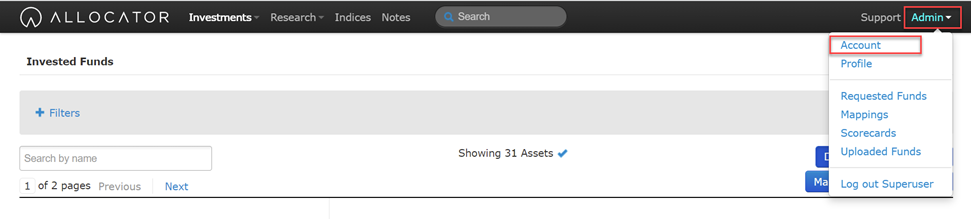
Select the ‘Admin’ button in the top right hand corner, and select ‘Account’.
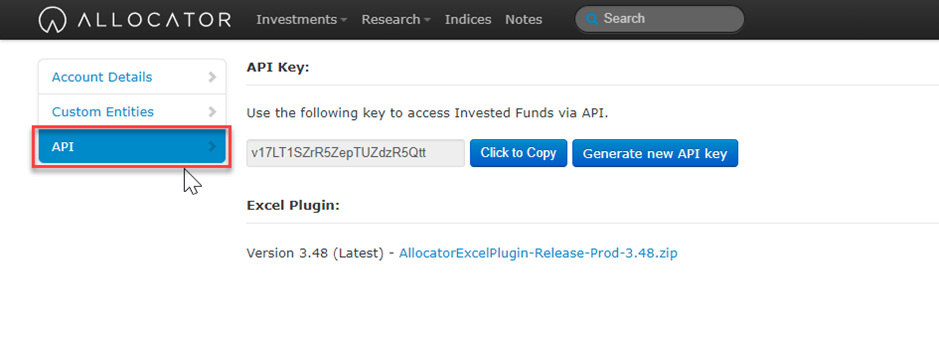
Select the ‘API’ tab.
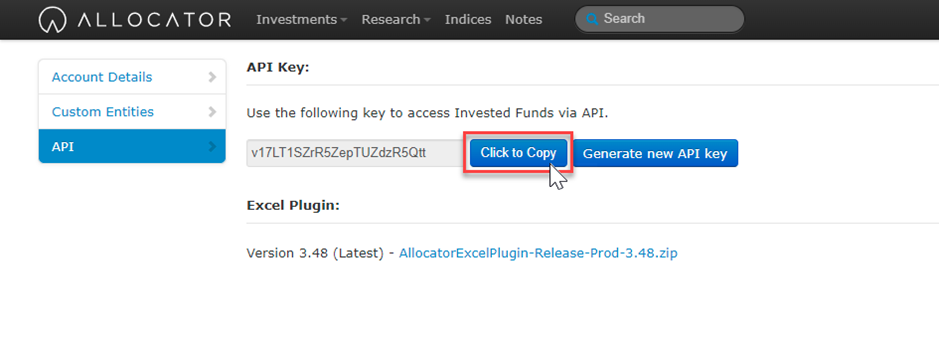
Copy the API by selecting ‘Click to Copy’, and open Excel.
The ‘Allocator’ tab for Excel should now appear in the top ribbon of the Excel you have opened. Select the ‘Settings’ button.
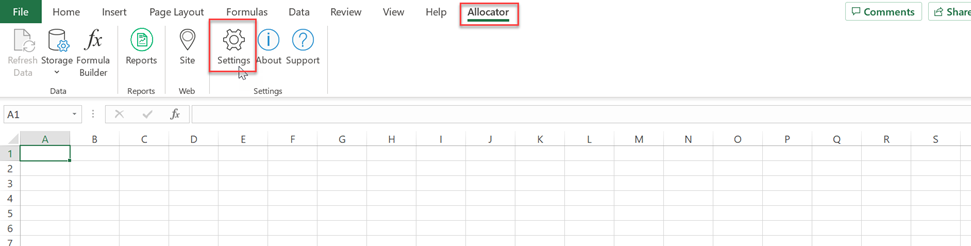
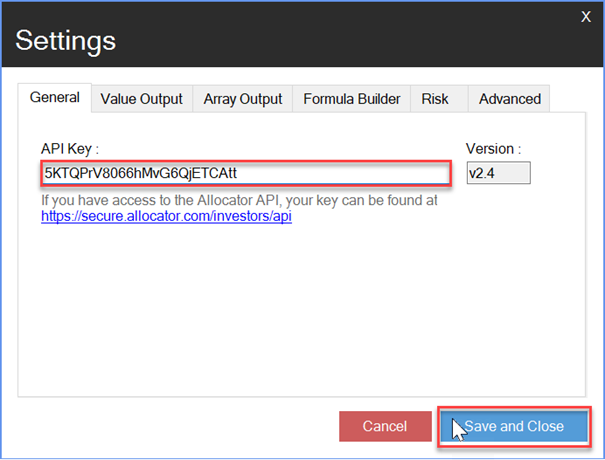
Here you will be allowed to enter the API Key which you copied from the Allocator Platform. Paste the API key and select ‘Save and Close’.