![Allocator_Logo_Colour_Mark.png]](https://www.allocator.com/hs-fs/hubfs/Branding%20-%20Images%20and%20Logos/Allocator%20logos/Allocator_Logo_Colour_Mark.png?height=40&name=Allocator_Logo_Colour_Mark.png)
Make sure all your Excel applications are closed.
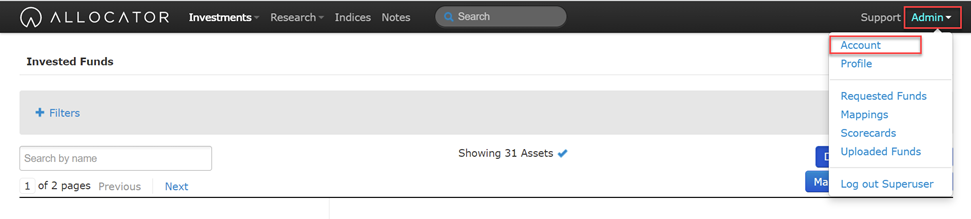
Select the ‘Admin’ button in the top right hand corner, and select ‘Account’.
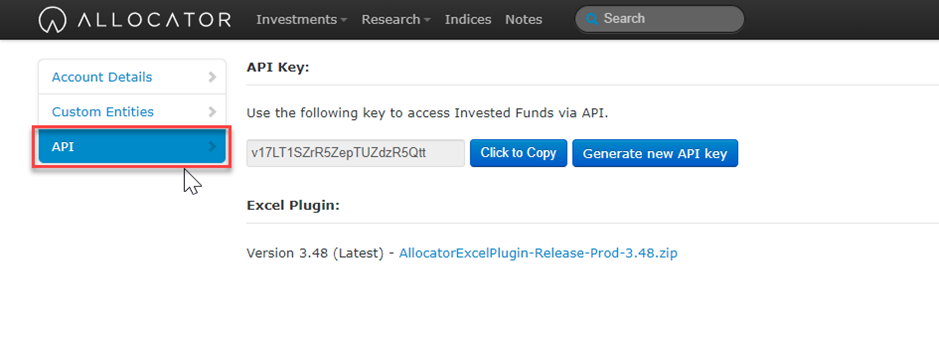
Select the ‘API’ tab.
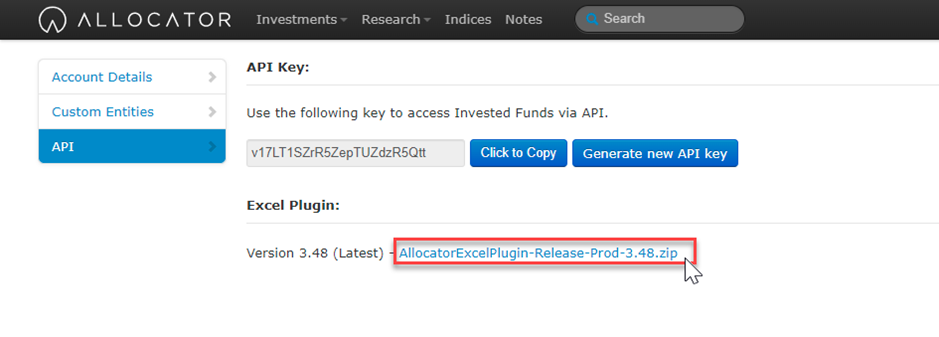
You will need to download the plug in by installing the above. You may need permission from the administrator. Run the Program in the Zip file and allow it to make changes to your hard drive.