![Allocator_Logo_Colour_Mark.png]](https://www.allocator.com/hs-fs/hubfs/Branding%20-%20Images%20and%20Logos/Allocator%20logos/Allocator_Logo_Colour_Mark.png?height=40&name=Allocator_Logo_Colour_Mark.png)
When using Excel, you will first need to request a fund to pull by searching for the fund by name and inserting this into your sheet.
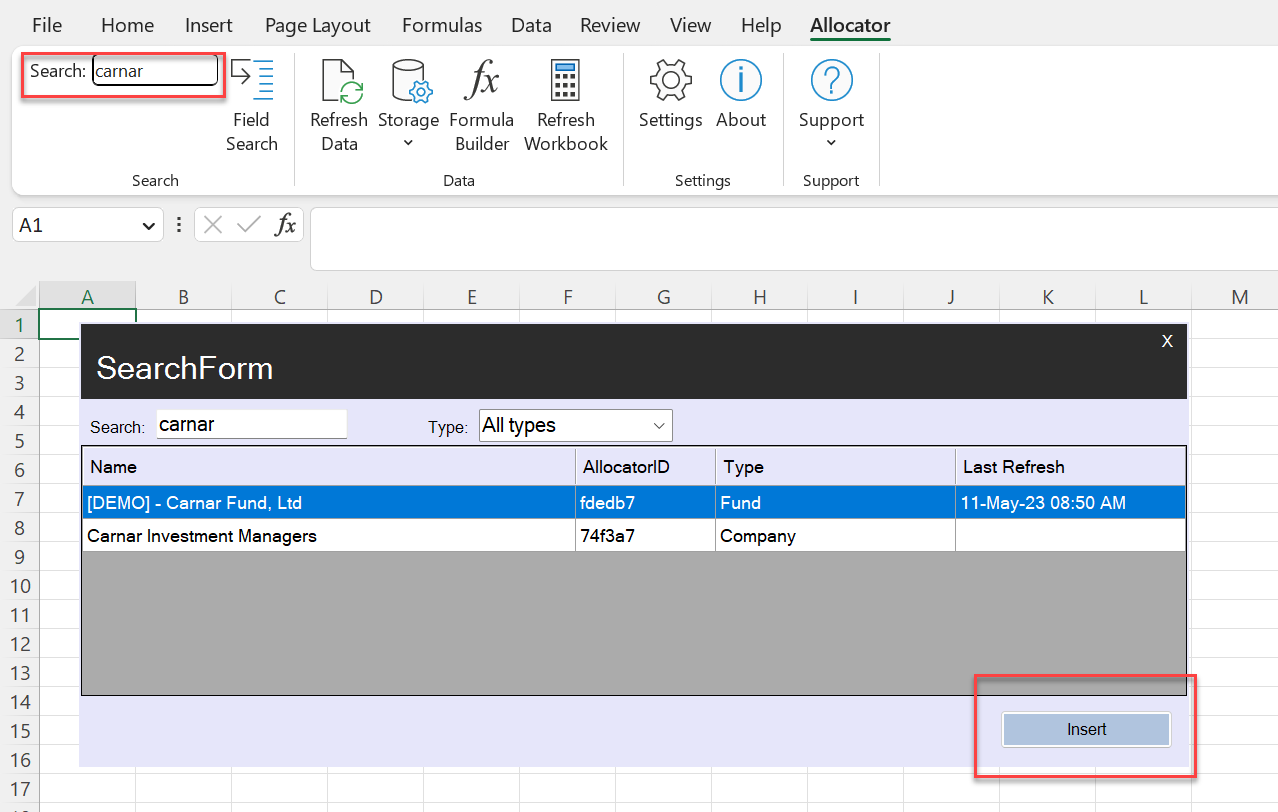
You can also do this manually by entering the formula =ALLOCATOR_ID([Allocator ID]).

When you have done this, select "Refresh Data". In the following pop up you can manage the list of funds to download locally, adding additional funds using the search tool on the right hand side, or remove any that you do not wish to add or update the data for.
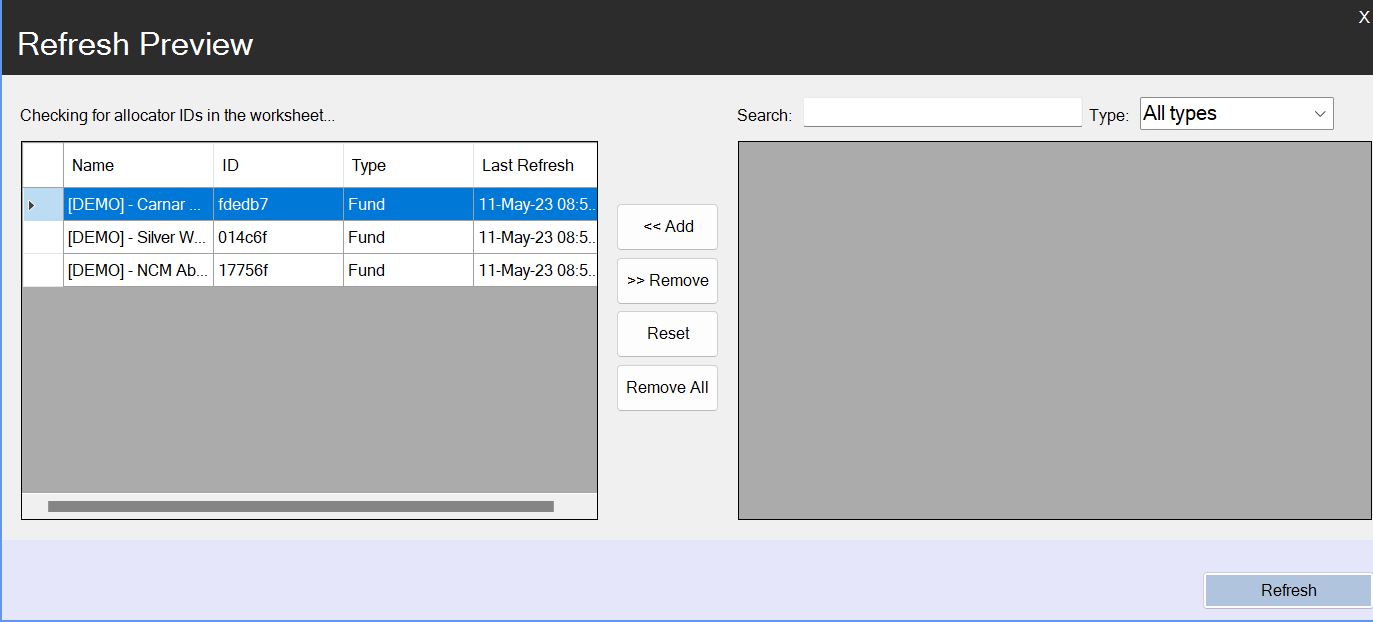
Click "Refresh" in this pop up.
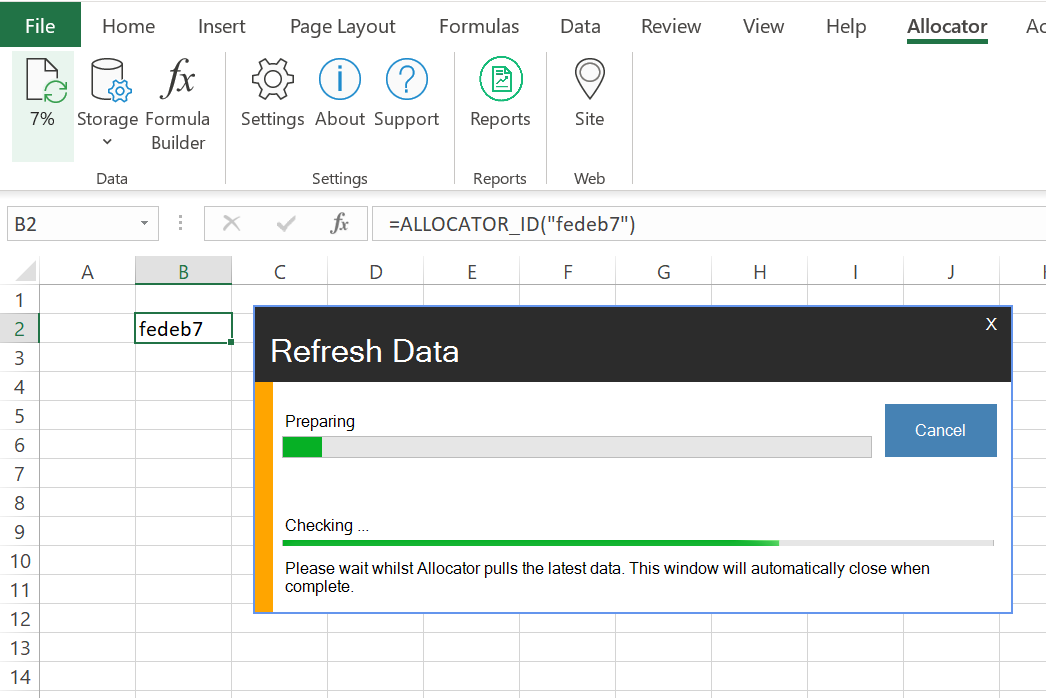
You will be notified on the icon in time how long until this is complete. When finished you will notice now on clicking "Storage" and "View Folder" that your fund has been pulled into Excel from the Allocator Platform.
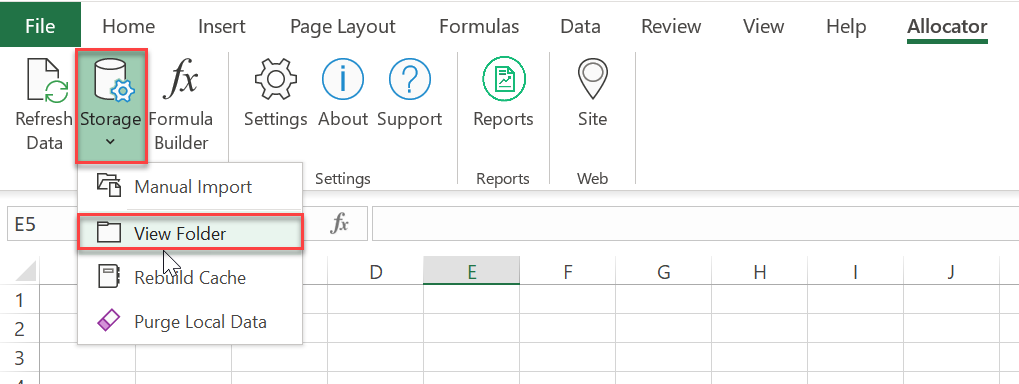
You will now be able to access the fund details and use the formulas within the formula builder.